 Points
See how your matches really went.
Points keeps score of every game, two taps at the changeover, then shows you the numbers behind the score: holds, breaks, deuce games and points won.
Or look around a sample season first.


Two taps a game.
Nothing to tap during play. At the changeover, tell Points who won each game and how far the other side got.
 1
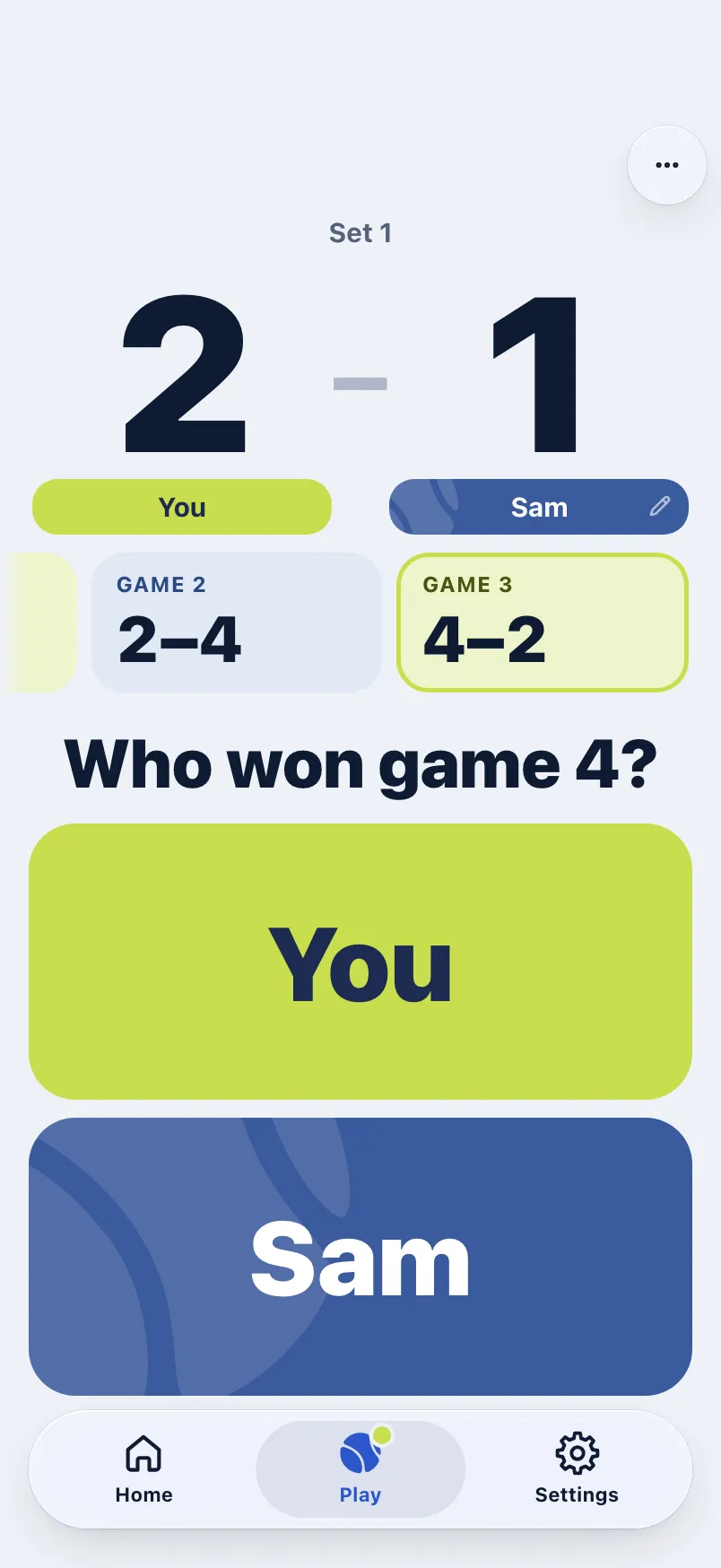
Who won the game?
At the changeover, tap the side that won. The ball shows who’s serving, so you never lose track.
 2
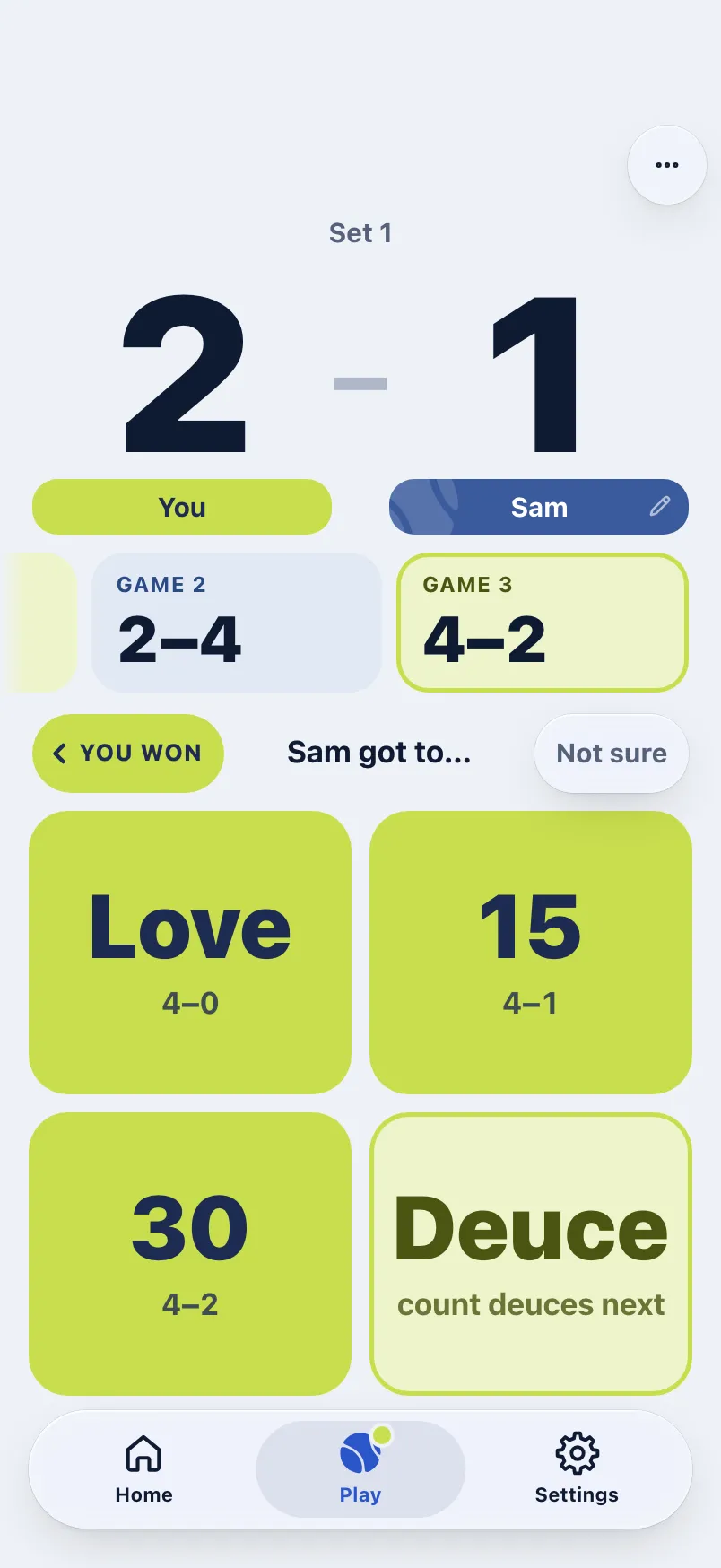
How far did they get?
Love, 15, 30, or Deuce. That one tap is the whole game’s points.
 3
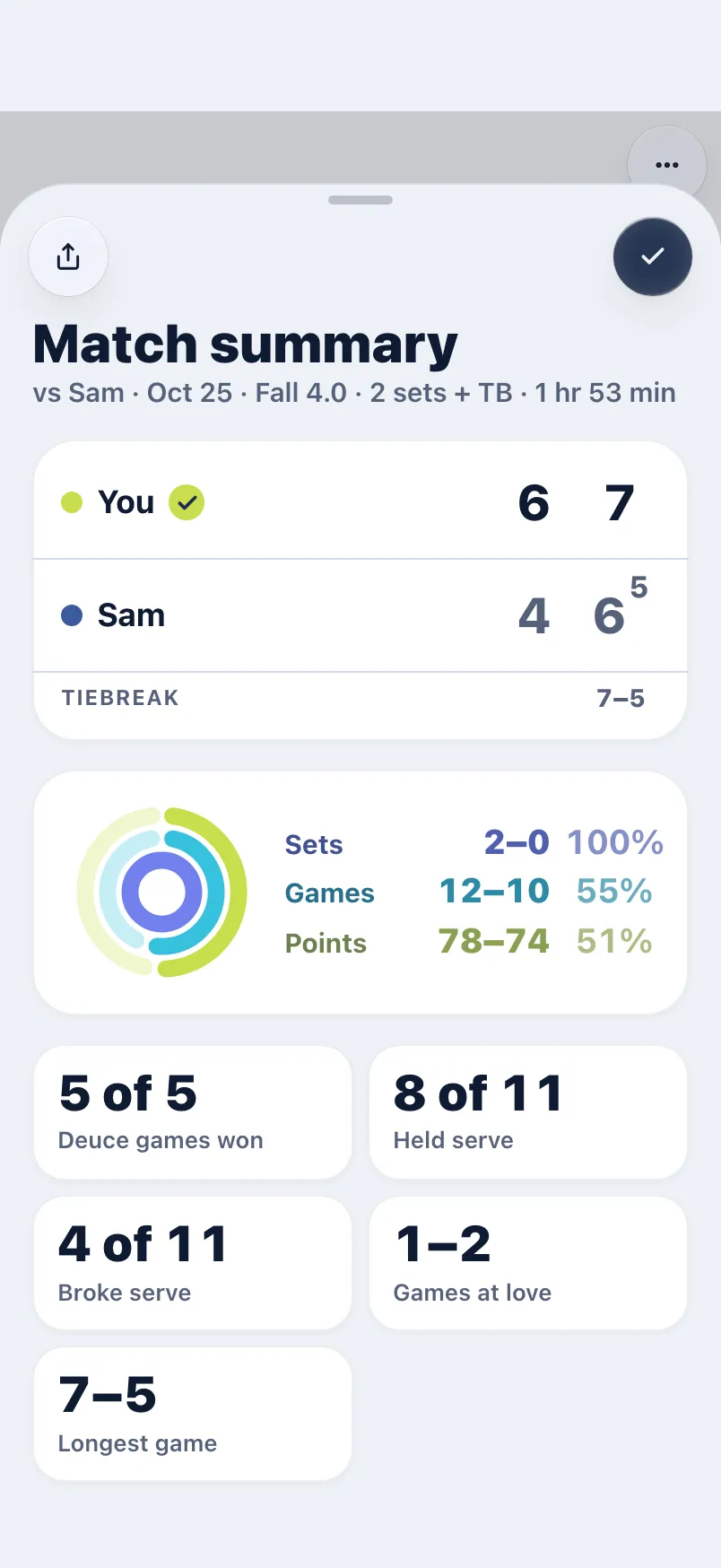
See the whole match
Sets, games and points won, held serve, deuce games, and every game in order.


What the score doesn’t tell you.
6–4 says who won. Points shows how: where you held, where it slipped, and which way your season is going.
- Points won
- How many of the points you played went your way.
- Held and broke serve
- Your service games kept, and theirs taken.
- Deuce games
- The close ones: how many you won.
- Trends
- Up or down across your season, match by match.
- Compare
- League against casual, one tournament against another.
Put matches in a league, a tournament or a club event to see each on its own.
Share it with your coach.
Every match makes a card for your group chat or stories. Or send a link or QR code: your coach sees the whole match, and your opponent can save it as their own, from their side of the net.
Add a note about the wind, or what worked, and share it only when you choose.

Made for the court.
Made to read outdoors
Big type and big buttons, where your thumb is. One job on each screen.
Singles and doubles
In doubles it follows who serves each game and counts holds for each player.
Past matches too
Add a match you played before by its final score, so your season is complete.
Works without a signal
Everything runs on your phone, so a dead zone at the courts doesn’t matter.
Yours alone
No account and no server: your matches stay on your phone. Back them up to Files or iCloud Drive.
Six themes
Hard Court, Evening, Grass, Lawn, Lavender and Coral, light or dark.
Put it on your Home Screen.
Points runs in your phone’s browser, nothing to download from a store. On an iPhone, open it in Safari, tap Share, then Add to Home Screen. On Android, open it in Chrome and choose Install app from the menu.